Clean church data.
Fewer clicks. More ministry.
Data Fixer automates people-data cleanup with a safe review & approval workflow. Built to complement Planning Center today, designed to support more church CRMs tomorrow.
Get started with Data Fixer
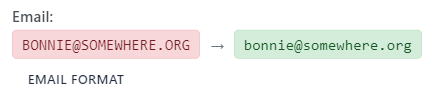

One-click fixes
Normalize phone numbers and emails, fill demographics, tidy up households — then approve and push back to your CRM.
Human-safe workflow
Every change passes through a review queue with a complete audit trail, so nothing gets lost or overwritten.
Why clean data matters
Accurate & complete information makes ministry simpler. Insights are improved when people data is complete and consistent. Households reflect real life instead of guesswork.
When profiles are complete and consistent, leaders have confidence in the lists they use each week.
Clean data isn't busywork. It's the foundation for care, communication, and hospitality.
Get started with Data Fixer for free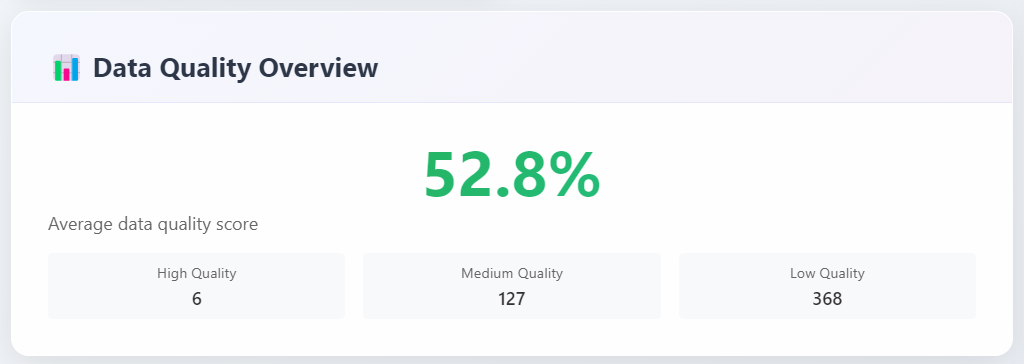
How Data Fixer works
Connect your Planning Center account and let Data Fixer scan your People data. We surface what’s missing or inconsistent without changing a thing.
Review suggested fixes in a focused queue. See the current value and the proposed update side by side so decisions are quick and safe.
Approve with confidence. Push changes back to Planning Center with a click. Every action is logged for clarity and accountability.
Authorize users to only suggest changes, or allow them to save changes back to Planning Center. You stay in control of who can make changes.
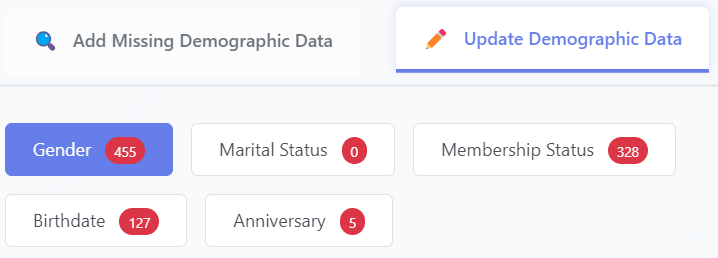
In action
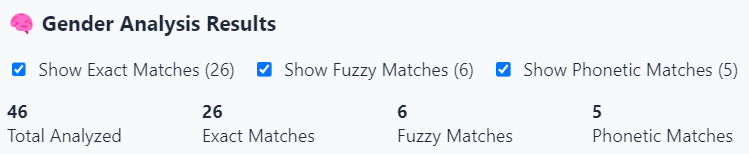
The tools you use every week—made calmer. Data-Fixer will normalize phone, email, and address fields, auto-suggest gender for over 3,000 names, suggest anniversary dates when only one spouse has an anniversary listed, move grown children into their own households, and more.
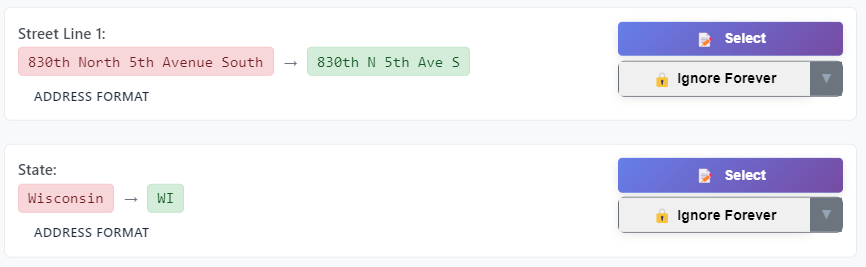

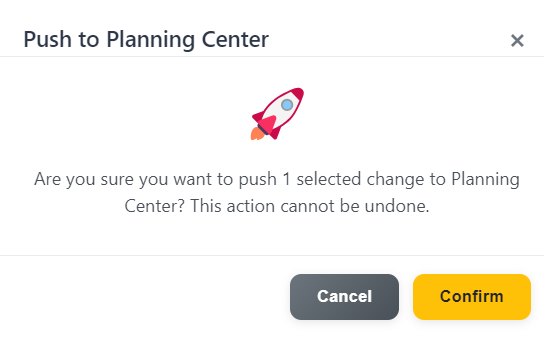
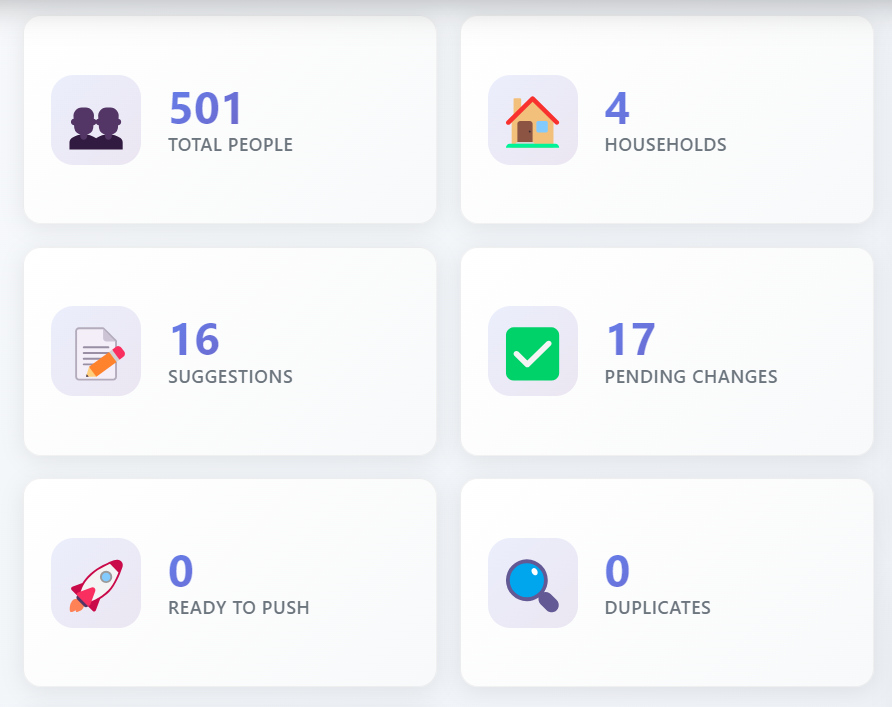
Feel the impact immediately
Prove the value
Most churches save 10-20 hours on their first cleanup. Show leadership exactly how much manual work was eliminated and how data quality improved.
Security and control
Your data stays yours. Data Fixer reads and writes through Planning Center's secure OAuth API. Changes are human-approved and auditable.
If a suggestion isn't right, dismiss it. Everything waits in the queue until you're ready to review or approve. No surprises, no silent edits.
What this means for admins
Clear visibility before anything changes. A record of who approved each change. A workflow that matches how churches actually operate.
Keep data clean automatically
Once your initial cleanup is complete, keep your data quality high with automated maintenance. We'll sync new changes, find common data issues, and send you a digest of suggestions for review.
Automated features include:
- Automated review of new and changed data
- Auto-fix for issues you've pre-approved with report sent to you for review
- Email digest of new suggestions you tag (missing gender, lower-case names, upper-case emails, etc.)
- One-click access to review or approve changes
Configure your preferences
Choose which types of issues should be flagged for review. You stay in control while saving time on routine maintenance.
Try it free—no commitment required
Create a free account and explore every feature. Sync your data, review suggestions, and test the complete workflow. See exactly how much time you'll save before you subscribe.
Free evaluation includes:
- Full data sync and analysis
- Complete suggestion review workflow
- Mark, ignore, and approve functionality
- Time savings calculator
Changes only push to Planning Center with a subscription. Your data stays safe while you explore.
See the value first
We'll show you exactly how many hours of manual work Data Fixer eliminates. Most churches save 10-20 hours on their first cleanup alone.
Do you use FellowshipOne, ChurchBuilder, or another church CRM?
We started with Planning Center because that's what our home church uses. We want to hear from you if you use another church CRM and we'll build support as we're able.
Common questions
Do changes apply automatically?
No, your data is safe from silent changes. You review suggestions first, and mark changes that look good. Marked changes wait in a queue for final approval before being pushed back to Planning Center.
What can I fix?
We'll help you fix formatting issues with phone numbers, emails, addresses, and names. Quickly fix all uppercase and all lowercase data issues, for instance. For records with missing gender, Data Fixer looks for gender matches with over 3,000 popular names from the last 80 years - sorts by female, male, and ambiguous names automatically. Data Fixer highlights households with more than 2 adults, and finds suggests anniversary dates when one spouse is missing their anniversay date. And much more! We focus on the fields that remove friction fast and improve contactability.
Will this replace Planning Center?
No. Data Fixer complements Planning Center by making cleanup fast and safe, then writes updates back so your source of truth stays consistent.
What about our giving/financial data?
We do not sync, review, or access any giving or financial data from Planning Center. Your financial information remains completely secure and untouched. We only work with people data—names, contact information, demographics, and household relationships.
Is my data secure?
Yes. We use OAuth 2.0 for secure authentication and only access the specific people data used within Data Fixer. All changes are human-approved and auditable. Your data stays yours and is never sold or shared. Additionally, you have the option to delete all synced data upon logging out (requires a re-sync next visit).
How long does setup take?
About 5 minutes. Connect your Planning Center account, run a sync, and start reviewing suggestions. No complex configuration or training required.
Can I try it before subscribing?
Yes! Create a free account to explore all features. You can sync data, review suggestions, and test the full workflow. Changes only push to Planning Center with a subscription.
What if I need to undo changes?
Every change is logged with a complete audit trail. You can see exactly what was changed, when, and by whom. If needed, you can even send reverted changes back to Planning Center.
Does this work with large churches?
Yes. We are always working to improve our sync processes and background processing. The system scales to your size. Contact us if you have a large church and we'll help you get started.